Segmentación de tráfico PBR con Failover
 Modem {{index+1}}
Dirección
/
Host para pruebas ping
Pruebas ping
Prioridad
Interfaz con dirección IP estática
Interfaz para cliente DHCP
Interfaz para cliente PPPoE
Interfaz a usar
Tipo
{{carga.tipo_interfaz=='ethernet'?'Nuevo nombre':''}}
{{carga.tipo_interfaz=='pppoe'?'Interfaz PPPoE':''}}
{{carga.tipo_interfaz=='vlan'?'Nombre de VLAN':''}}
Usuario PPPoE
Clave PPPoE
Servicio PPPoE
VLAN ID
Dirección
/
Interface list
Tabla de ruteo
Orden de respaldos
|
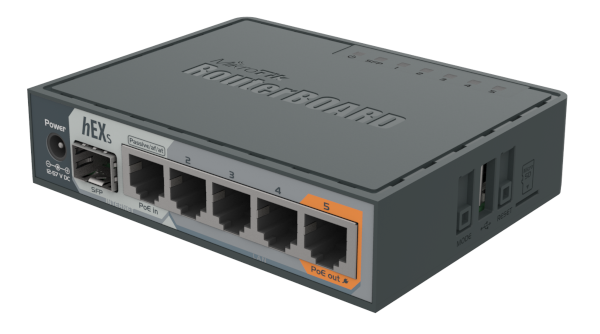
5 puertos
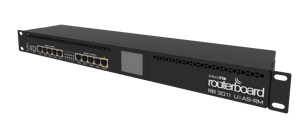
10 puertos
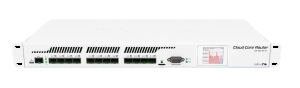
12 puertos
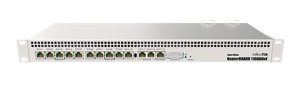
13 puertos
| Dirección IP |
Configuración de interfaz LAN
| Dirección IP | / |
| Interfaz a usar | |
| Nuevo nombre de interfaz | |
Tip:Una vez que cargues el compact file en tu router, asigna una o varias interfaces esclavas al bridge. |
|
| Servidor DHCP | |
| Interface list |
Listas de direcciónes IP para enrutamiento
| address-list de clientes | Tabla de ruteo de salida | |
|---|---|---|
| saldrá por {{carga.routing_table}} |

Configuracion adicional
| Compatibilidad con | |
| Identidad | |
| Notificación de ISPs caidos | |
| Seguridad de Firewall | |
|
¿Qué obtienes con esta seguridad? Proteges a tu router contra:
|
|
| Soporte incluido | |
|
¿Qué obtienes con este soporte? Ayuda en la creación de la configuración de tu compact file. Si creas tu configuración de forma incorrecta, no te preocupes, con este soporte regeneraremos tu configuración según lo que realmente necesitas. De igual forma, podemos apoyarte en la complementación de la configuración que deseas a construir. Con este, uno de nuestros ingenieros se conectará vía AnyDesk para ayudarte a ajustar tu configuración directamente en tu router según tus necesidades en tiempo real.
Importante:
El tiempo includo en esta sesión será de 1 hora. |
|
Emisor de notificaciones
| Correo | |
| Cuenta | |
| Clave | |
| Servidor | |
| Puerto | |
| TLS |
Receptor de notificaciones
Compact File
| Obten el compact file por solo {{total}} dólares | Iniciar sesión para poder construir y descargar |
Muy importante
- Es necesario tener conocimientos básicos de redes para preparar e instalar las configuraciones en los routers Mikrotik.
Soporte
Escribenos por Facebook messenger a @livaur con tus dudas.
Tip
Una vez cargado el archivo pbr.rsc en tu router, será necesario ejecutar el siguiente comando en terminal:
import pbr.rsc
Después de eso, tu router habrá quedado automáticamente configurado.
Aprende a importar un compact file
Si no sabes como importar un compact file, dale un vistazo a este link Importación de un compact file